

Salesforce is an incredibly powerful Customer Relationship Management (CRM) software that has transformed how businesses manage customer interactions, sales, and marketing efforts. Salesforce’s versatility has become applicable to the events industry as well. What Salesforce can do, is merge event planning, marketing, sales, and attendee engagement seamlessly!
By utilizing Salesforce to its fullest extent, event planners can manage leads, automate your marketing campaigns, manage your event performance effectively and enhance the customer experience and engagement of attendees. Through this blog, we are exploring how Salesforce can help you to achieve successful events and higher ROI.
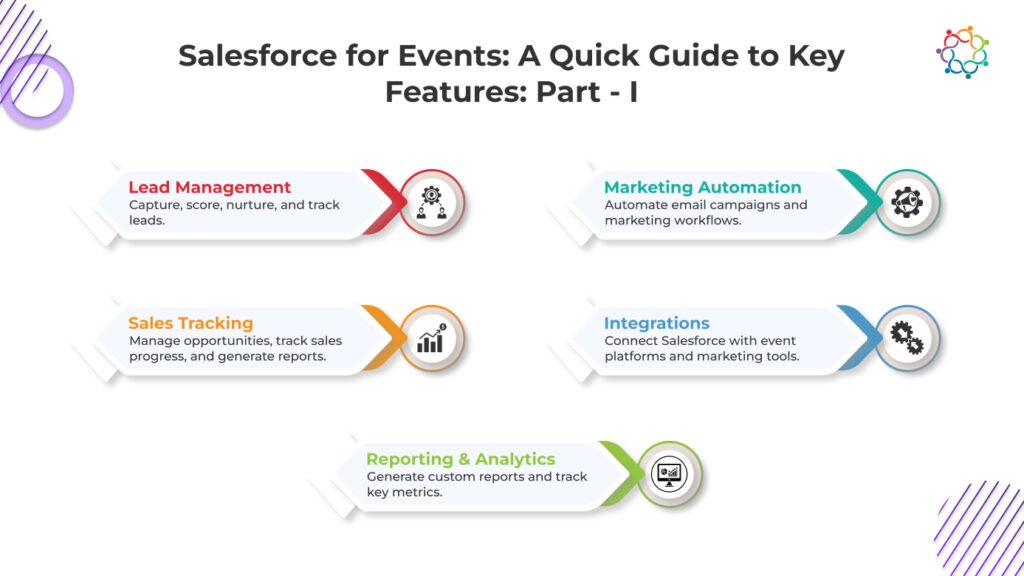
I. Managing Leads with Salesforce
Lead management plays a vital role in maximizing event ROI. Salesforce provides many tools for lead capturing, scoring, nurturing, segmentation, and tracking that enable teams to convert event attendees to customers.
Effortless Lead Capture
Salesforce can integrate with event registration forms, mobile apps, and on-site check-ins to:
- Centralize Attendee Information- Leads are automatically collected in one possession
- Eliminate Steps- No need to create and key in any spread sheets
- Increase Data Accuracy- Same method for data collection, ensuring every lead is provided in the same manner
Having a 360 degree view of every attendee helps a sales and marketing team know how to best make a move.
AI Lead Scoring
If leads are appropriately prioritized, sales teams spend time addressing the leads that will make the most significant impact. Salesforce’s AI lead scoring allows lead to have
- Levels of Engagement- Attendees define their levels of engagement through session attendance, booth visits, or networking activity
- Demographics & Firmographics- Each attendee provides a profile on their industry, job role, and company size.
- Previous Engagements- Any time an attendee comes back gives an idea of their interest level
Having this information, the sales team can identify the leads around interest for personalized follow-up.
Automated Lead Nurturing
After the event, it’s all about keeping the leads engaged and taking action to drive conversion. Salesforce gives users automation tools that allow for
- Personalized Email Sequences- This feature gives users the ability to personalize the follow-up that is sent to the attendee, based on interests and/or activities they engaged in
- Triggered Campaigns- Users can automatically nurture the leads with information relevant to attendee interests and invitations and special offers.
- Notify On Engagement- Able to track opens, click-thru, and responses of an email campaign, enabling the user to modify and improve the messaging to increase engagement.
With automated workflows, event planners will be able to keep leads warm while also ensuring sales teams are not constantly following up with leads manually.
Advanced Lead Segmentation
Salesforce allows event planners to separate leads into meaningful segments for more targeted follow-up such as:
- First-Time Attendees: Sending them introductory content to give them context about your offerings.
- VIPs & Decision-Makers: Providing exclusive networking opportunities in addition to a great event experience.
- Returning Attendees: Sharing information or insights from previous events and bringing attention to the new features or topics at play.
With leads segmented by behavior and characteristics, marketing can deliver more vibrant campaigns and sales will have better pitches.
Visibility into Real-Time Lead Progression and Sales Collaboration
Salesforce’s lead tracking and reporting tools give full transparency into attendees on their journeys from registration to post-event action. Key benefits include:
- Live Data Reporting: Sales will know in real-time where fairs are in the cycle.
- Simple Handoffs: Sales reps will have immediate access to qualified leads; no delays!
- Interaction History: Each entity that interacts with the lead will be logged for informed follow-up.
Sales teams and marketing will be all on the same page by using Salesforce which will help speed the conversion.
Tracking Sales Opportunities in Salesforce
In addition to lead management, Salesforce gives event organizations tracking tools to monitor all revenue opportunities as they are generated (tickets, sponsorships, exhibitors, and partnerships).
Visibility into the Entire Opportunity Cycle
Salesforce allows groups to see all stages of sales from initial stages to closing the deal. Key features include:
- End-to-End Tracking: You will be able to track everything from ticket purchases, sponsor acquisitions, exhibitor sign-up, etc.
- Opportunity Updates: You will know where each opportunity is in the cycle – pinging, dead deal, proposed contracts, etc.
- Automated Follow-Ups: Trigger an automatic event to remind sales reps to actively engage potential deals.
By organizing sales opportunities in Salesforce, event teams can ensure that opportunities for revenue are not missed.
Real-time pipeline visibility with the pipeline tools in Salesforce, event teams can:
- Get instant visibility: track deal progress – Identify potential obstacles to deal progression
- Better forecast revenue: predict deal outcomes based on the sales process in Salesforce
- Real-time proactive adjustments: identify weak areas and change sales approaches. Pipeline visibility enables teams to remain proactive and outcome-driven.
Customizable sales reporting Using Salesforce’s reporting capabilities, event teams can:
- Track sales success: including measures such as the conversion rates, size of deals and when deals closed
- Know which sources of revenue are better than others: analyse what ticketing or sponsorship packages were more successful or which promotional efforts were better at generating ticket sales
- Improve next events: based on evidence from the previous event, improve pricing, or delivery plan to increase sales, etc.
With custom reports, sales teams can always be looking at their techniques to improve upon their return on investment (ROI).
Seamless integration with Sales Cloud Salesforce
Sales Cloud helps event teams ensure that sales-related data from events flows effectively between teams:
- Better collaboration: all teams can reference the same numbers and data to cohesively discuss and plan next steps and make structured decisions.
- Quicker closes: sales reps can deploy more effective sales practices by routing and getting deals or leads processed in real-time and using automated workflows to minimize data entry or mindshare.
- Better follow up: sales reps can analyse attendee engagement before, during, and after the event to improve follow-up or outreach approaches.
This integration improves efficiencies and ensures sales opportunities are not missed.
Dynamic Dashboards for Data Visualization
Salesforce dashboards enable event teams to visualize, track, and analyze data across multiple metrics and KPIs.
- Visualize Sales Performance: to visualize all revenue data including revenue trends, deals, and engagement metrics.
- Monitor Sales KPIs in real-time: use real-time stats to track ticket sales numbers, sponsor sold or unsold, exhibitor deals closed, etc.
- Analyze Deals and Make Decisions Quickly: able to see gaps and pivot and adjust sales strategy during execution when necessary.
Salesforce dashboards help event planners remain data-driven in their efforts for event revenue management.
Automating Event Marketing Tasks with Salesforce
Marketing automation in event marketing is targeted at scaling your outreach and increasing attendee engagement that leads to a conversion outcome. Salesforce has tools powered by automation to help event teams expand their marketing planning and execution and allows them to measure their success for accountability.

Want to see how this would work for you?
Native Salesforce integration
See how Samaaro syncs registrations, attendance, and engagement directly into your Salesforce.
Book a tailored walkthroughAutomated Email Marketing:
Salesforce has automated email campaign capabilities to ensure event managers are communicating to their attendees before, during the event, and after it is planned. Key elements of benefits include;
- – Automated Invitations & Confirmations: event invites, confirmation of registration, and reminders can be automated!
- – Automated Follow-Ups and Engagement: every post-event email can be customized with detailed highlights of the sessions and keynotes that included survey links, attendee-only content, etc.
- – Automated Behavior Triggers: email sequences can also be created and managed (automated) for someone who attended a session or visited your booth.
Having an automated (email) workflow would allow you to automate all the attendee email communication phases to keep the attendee experience engaged and increased follow-ups
Social Media Management
Salesforce allows event teams to structure and manage their social media communication and promotions for their events while in one place.
- – Scheduled Posts: plan and automate social media posts with engagement plans spread out across your LinkedIn, Twitter, Instagram, and Facebook accounts!
- – Engagement Tracking: allow your social media moratorium and track attendee-social engagement interactions in real-time; for instance, social mentions, hashtag engagement, sentiment, etc.
- – ROI tracking: you can back cast and measure tracking all the channels and calculate ROI based on the supplier’s initiatives.
Adding social media tracking into Salesforce will be easy and will be less thinking for event marketing teams while engaging with audiences across various formats!
Marketing Analytics / Measuring Campaign Effectiveness
Improving and optimizing event marketing to be effective and tracked on campaign effectiveness by using Salesforce would support event marketers in;
- Tracking campaign effectiveness: track click-through rate, open rate, and conversion rates for email and social campaigns.
- Tracking how each channel (email, social, paid) performed compared to others.
- A/B Testing: you will finally be able to A/B test your messaging strategy/format and strengthen the argument for effective email marketing moving forward.
Event marketers will not have to guess if the marketing tactics they used functioned.
– Automating Automated Workflows
Salesforce allows event marketers to automate that will save time and manage ongoing duties/tasks as well:
- Registration & Ticketing: Helps stop the manual process on your head for managing attendee registration with automated acceptance paths and confirmation emails and tickets!
- Follow-Up emails: automate the sending of survey emails while pre-scheduling pre, during, and post event tracking engagement for metrics and collecting feedback on data in a post-event feedback survey.
Will make the system easier to keep the workflow as attendees are grouped accurately.
By having repetitive tasks automated, you are going to give some time back to dying both as well put that time into strategy, initiatives, and delivering an incredible attendee experience.
Tailored AI Personalization
Salesforce employs intelligent AI and its capabilities will provide;
- Recommended Tracks & Sessions: using the precision of AI we can recommend other tracks or sessions based on your own past behaviours that could trigger you to attend.
- Tailored Messaging Delivery: delivery of tailored & customized – using options of AI- passionate personalization.
- Tailored Engagement Strategies: from informing your marketing and supporting more tailored marketing so their outcomes may be more personalized for your registrants and/or ticket sales event and attendee engagement.
AI-powered personalization maximizes attendee engagement and fosters and amplifies outcomes like event conversion rates that are persistently focused on your stakeholders.
IV. Integrating Salesforce with Event Technology
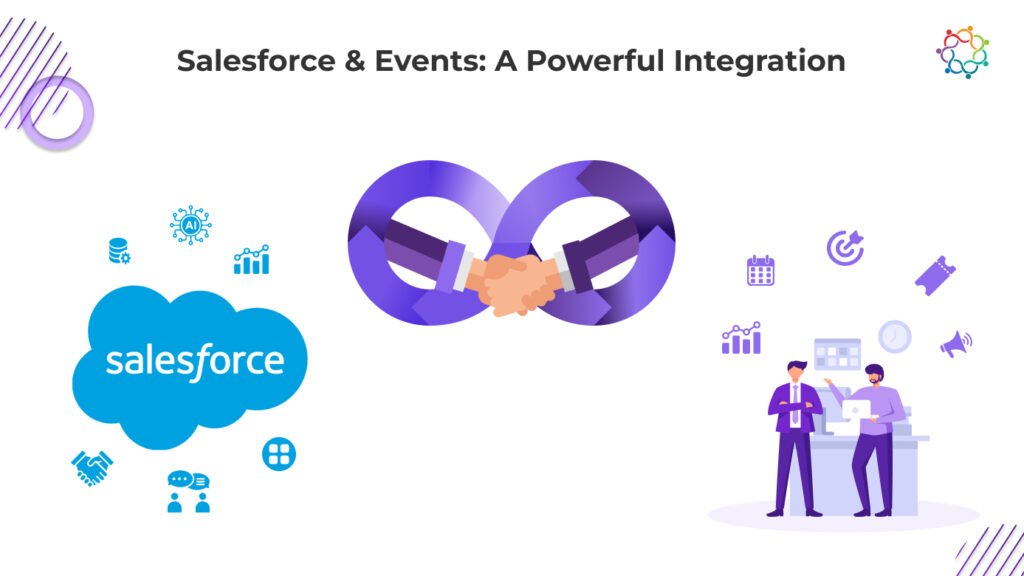
When Salesforce is seamlessly integrated with your event technology, you end up getting a good experience for everyone involved; the attendees, the organizer, and the sales team. When businesses tie together Salesforce and event technology tools, they can bring data together, operate more efficiently, and enhance engagement.
Integrations with Event management Platforms
Event management platforms such as Cvent, Bizzabo, and Eventbrite offer a variety of options for integrating with Salesforce. Integrations provide you with the ability to:
- Sync Live Data from Your Event: Sync attendee information, registrations and engagement data automatically.
- Efficiently create attendee tickets and check-in: Link your ticketing system to Salesforce and immediately get your attendee list.
- Improve reporting: Provide insights into performance by combining event data with CRM data.
In regards to event management platforms, integration with Salesforce equals efficiency and removes data silos.
Integrations with Mobile Event Apps and On-Site Engagement tools
By integrating with mobile event apps, and after event management processes, staff will obtain real-time insight on attendee engagement and track engagement interactions, including:
- Instant lead captures: when exhibitors and sales teams scan badges, the interaction is logged instantly into Salesforce.
- Session tracking and Booth Tracking: staff will be able to monitor which sessions the attendee went to, with regards to which booths they went to – and manage follow ups more effectively.
- Live Polling and Q&A Captures: tracking interactions from your audience and keeping these insights for post-event actions and analysis.
Integrating mobile event apps ensure that everything an attendee interacts with is logged as event interactions, thereby creating a better basis for personalized engagement.
Integrating Marketing Automation Tools
When linking your marketing automation tool platforms like HubSpot, Marketo, or Pardot, to Salesforce provide operational enhancements for better market events by:
- Automating lead nurturing: allow for triggering of personalized email sequences that scale based on what was done by the attendee, and how they engaged based on what they saw or attended.
- Attribution tracking: know which marketing point helped with converting your event attendees.
- Combining Sales & Marketing Teams: Grant sales teams’ access to attendee engagement metrics for purposeful follow-up.
With promotional solutions, the event team can streamline lead collection and improve conversion.
Data Moving Through Systems
When event tech and Salesforce share data flow, it can:
- Reduce Manual Data Entry: If data is flowing automatically, there is no human error.
- Enhance Personalization: Salesforce tracks information in near real-time, allowing for more consumer-relevant interactions.
- Sharpen Post-Event Reporting: All necessary data is collected for a complete analysis of success and to strategize for future events.
Having all data flowing in one complete ecosystem allows for better fundamental decisions and better execution of events overall.
API’s and/or Customized Event Tech
Salesforce APIs provide organizations with the ability to connect to customized software and/or third-party event tech solutions by enabling:
- Customized Registration Flows: Your organization can create unique registration, and all processing data talks directly to Salesforce.
- Real-Time Updates: Push Notifications and Alerts based on live actions of registered attendees.
- AI-Listening Engagement Analysis: Develop detailed reporting methods that track live attendee sentiment and engagement categories.
Using Salesforce APIs allow organizations to build custom scalable event tech solutions that measure directly to their goals.
V. Reporting and Analytics: Unlocking Actionable Insights
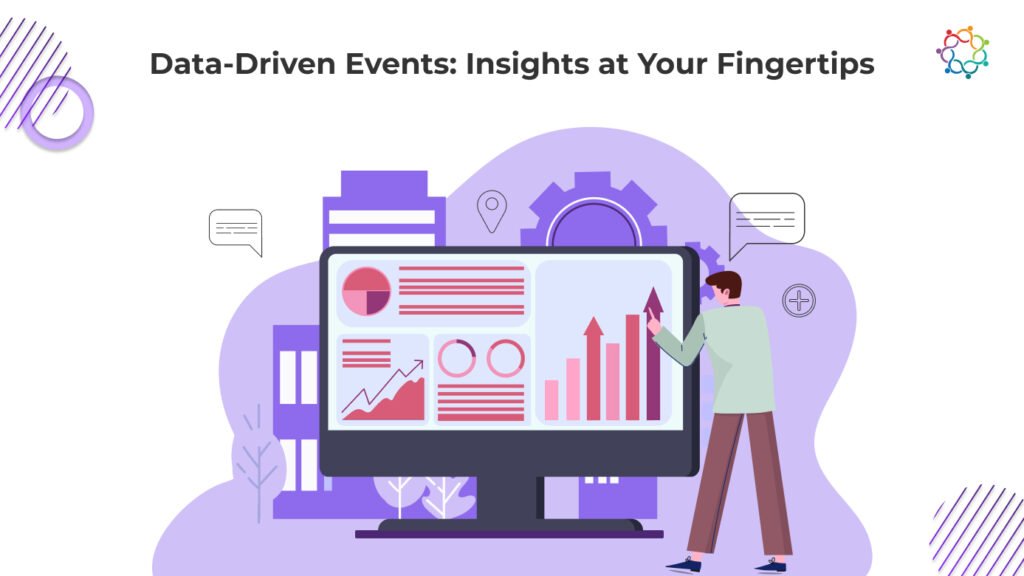
Data is at the core of a successful event, and Salesforce is equipped with strong reporting and analytics capabilities to help the event planner measure, refine, and get the most return on their investment.
Customized Reporting for Event Data Insights
Salesforce will allow your organization to create reports based on:
Attendee Patterns: Attendance at sessions, level of engagement, and opportunities to network.
Lead Conversion: Track the intended path from a lead being seized to it converted, as well as the touchpoints along the journey.Sponsorship Performance: Measuring sponsor visibility, audience engagement, and lead generation.
Event Metrics: Participation, ticket, engagement accords.
By having access to important event analytics in real-time, event organizers can make informed event decisions to improve their next event.
Event Data Visualization for Real-Time Positioning
Salesforce dashboards allow teams to:
Track KPIs: Monitor registration numbers, session attendance levels, and lead engagement, all in an interactive environment.
Understand Event Performance in 360°: Utilize real-time visual reports to capture a moment in event success.
Look for improvement opportunities: Identify attendee vendor engagement behavior and track a more effective marketing approach.
If event teams can visualize their data, they will be able to comprehend complex information using raw data and identify areas where they can act.
ROI Assessments for Event Planning
Salesforce ROI Assessment Tools help organizers:
Determine Campaign Performance: Measure marketing effectiveness comparing the success/ROI of pre-event campaigns across numerous outlets (channels).
Understand the Performance of the Sponsor/Sponsorship: Analyze sponsor visibility and engagement to develop the sponsorship package.
Drive Better Budget Decisions: Utilize data insights to plan spending in areas previously yielding positive returns and removing)or attempting to prevent investment in less effective return producer.
By analyzing event ROI on a continuous basis, organizations can improve financial accuracy and guarantee the long-term success of the event.
Data-Driven Best Practices for Continuous Improvement
Using Salesforce analytics will allow event organizers to:
Improve Audience Engagement: Analyze attendee engagement data to determine the level of experience you provided; personalize and simply engage with more attendees.
Improve Planning of future events: Use previous event insights to better plan their subsequent events: venue choice, session topics and content delivery.
Enhancing Sales and Marketing Alignment: Ensure that your sales and marketing teams are leveraging data to continuously optimize their lead tracking and conversion processes.
Real-time analytics allow your event marketing teams to continuously shift their activities.
VI. Best Practices for Using Salesforce for Events
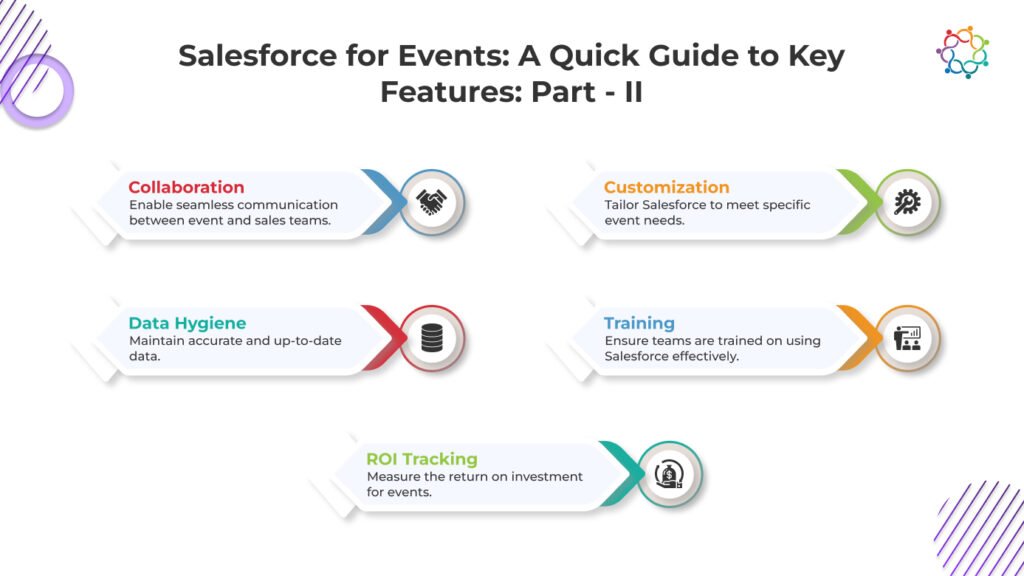
Organizations can utilize best practices to help them take advantage of Salesforce as well as provide teams with effective workflows, better data accuracy, and ultimately overall effectiveness.
1. Data Hygiene:
- Keep your data accurate and organized.
- Regularly refresh and clean your attendee information and lead data to remove duplicates and wrong data.
- Segment contacts into groups based on relevant criteria and interest-based data, with participant engagement history, so you can personalize prospect outreach.
- Implement standardized procedures for data entry so your data will be consistent across your teams.
2. Training and Adoption:
- Allow your teams to utilize the platform.
- Train your sales, marketing, and events teams on an individual basis with hands-on training so they can utilize Salesforce to the maximum ability.
- Implementing a culture of adoption means demonstrating how the platform provides workflow efficiencies that enhance productivity.
- Provide user knowledge sharing and on-going support for your users so they are always up to date with new features.
3. Customization:
- Customize Salesforce features properly.
- Set-up custom fields in Salesforce that capture lead details associated to events, session attendance, booth visits, etc.
- Automate workflow processes that captured lead engagement, staff follow-up plans, etc.
- Create dashboards with the event metrics that are relevant for all levels of stakeholders for accountability.
4. Integration Strategy:
- Create an integrated event tech stack that fits together.
- View event management software, mobile apps, and other marketing tools (email, social, online ads etc.) for potential integration with Salesforce.
- Application programming interfaces (APIs) are the best way to create and automate workflows between Salesforce, any event technology, attendee mobile app, or any marketing tools.
- Create an integration roadmap that fits your organizations event-led marketing needs today and for the future.
5. Ongoing optimization:
- Ask yourself whether there are other opportunities to enhance and define your ongoing strategies around events.
- Regularly look for data insights in Salesforce, that could provide you ways to improve your marketing, sales and engagement strategies around events.
- Continuously research relevant trends around artificial intelligence (AI)-based analytics and automation.
- Ask for continuous feedback from attendee participation, and sales team in order to continue to strengthen the effectiveness of their use of the CRM.
Utilizing these best practices will allow your organization to fully maximize the effectiveness of using Salesforce in your strategy around events.
Conclusion
Salesforce is an absolutely game changer for event planning and event management for organizations around lead capture, optimizing marketing automation, sales alignment, and so much more; real-time analytics is what allows your event planners to increased engagement, improved efficiencies, and ultimately better revenue. We at Samaaro, know the need for organizations to leverage CRM technology to rethink their event strategy. Request a demo or start your free trial today to see how Samaaro can change your event experience for the better.
Frequently Asked Questions
1. What is Salesforce for Events and how does it help event organizers?
Salesforce for Events means using Salesforce CRM to manage event leads, registrations, campaigns, and post-event conversions in one connected system, giving sales full visibility into event activity.
2. How does Salesforce integrate with event registration platforms and check-in tools?
Through native connectors or APIs, registration and check-in data flow into Salesforce as campaign members and activities, so attendee status updates automatically without manual imports.
3. How does Salesforce’s AI lead scoring work for event attendees?
Salesforce Einstein AI scores attendees using engagement and fit data, predicting which event leads deserve the fastest sales follow-up based on patterns from past conversions.
4. Which event management platforms (Cvent, Bizzabo, Eventbrite) integrate natively with Salesforce?
Platforms including Cvent, Bizzabo, Eventbrite, and Samaaro offer native Salesforce integrations, syncing registration and engagement data directly into CRM records.
5. How does Salesforce help align sales and marketing teams during and after an event?
Shared real-time attendee data, campaign visibility, and automated lead routing keep sales and marketing working the same pipeline during and after every event.