


Why Offline Capability Matters in 2026 Events
In event organization, the first experience begins a day-long impression. There is no worse feeling than having guests stuck at the entry, primarily caused by distance or downtime due to poor or no Wi-Fi.
If you are managing a hotel ballroom-based conference, a summit in a remote convention centre, or a festival in an open field, the last thing you want is connectivity issues to affect guest management. This is where offline event check-in apps become indispensable to the function.
Offline event check-in apps allow you to transform registration from exercise of technical risk to a reliable and consistent activity. Everyone understands the basic premise: offline event check-in is the reliability event execution rests upon.
Challenges of Traditional Check-In Systems
In the past, a system that either relied on traditional methods or was poorly designed caused enormous bottlenecks.
- Reliance on Wi-Fi: Most older check-in systems rely entirely on a good, stable, fast internet or Wi-Fi connection. Any interruption to the network, even if multiple thousands of event attendees overwhelm the venue’s bandwidth, tops the check-in process in its tracks.
- Manual errors and frustration: Paper lists or systems which rely on manual lookup means manual errors, typographical errors, etc., in addition to slow data entry times. Also, even utilizing cloud (where the device displays an “attendee checked in status”) cannot always sync all data simultaneously and different devices might show different attendee statuses.
- A poor guest experience: Ultimately, this creates a poor guest experience with long queues and frustration. This initial experience is negative for the attendee and can naturally shape their perspective of the event moving forward in addition to potentially casting a bad light on the host organization.
How Offline Check-In Apps Solve the Problem
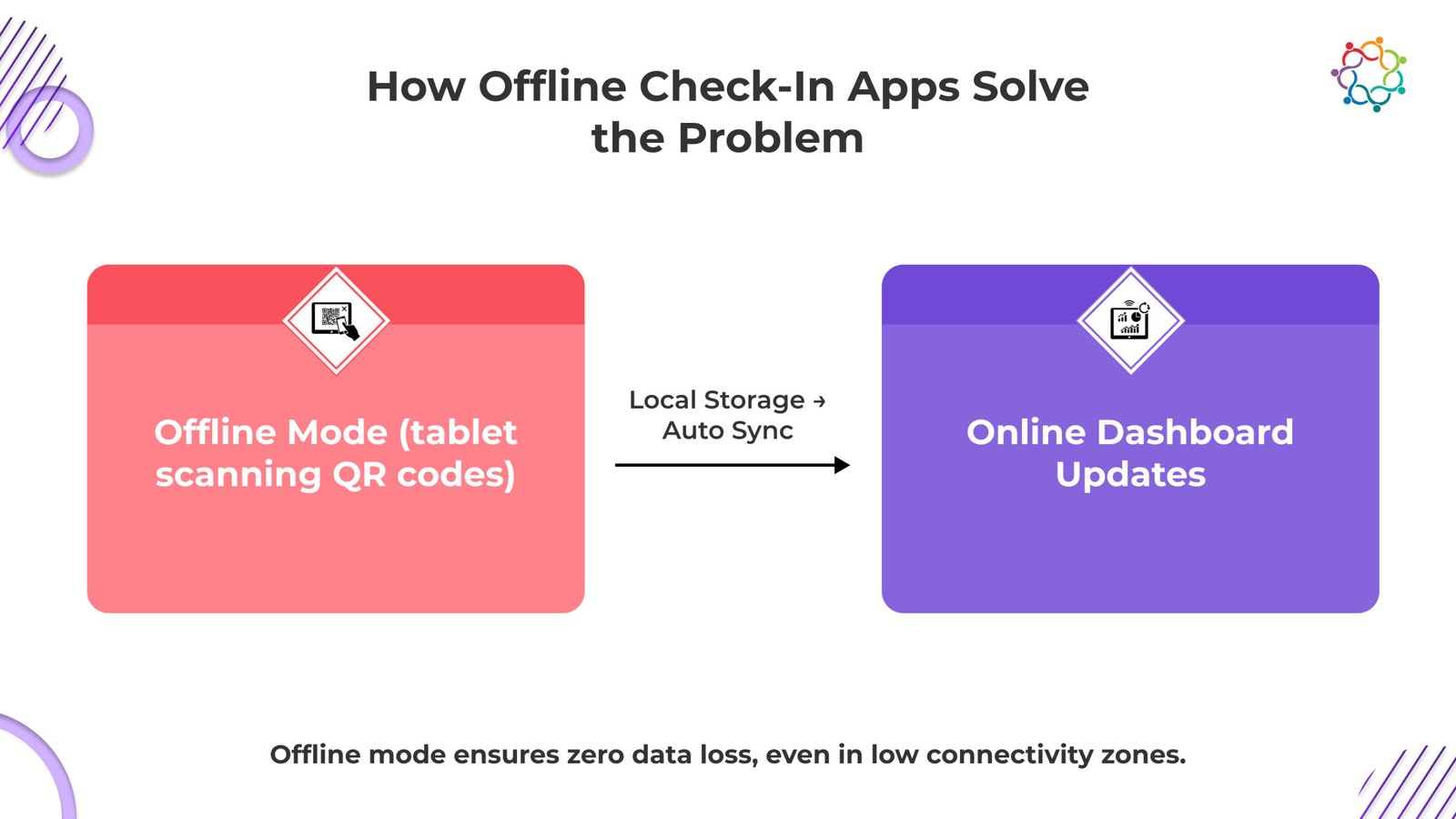
Modern-day event registration applications are developed with an “offline-first” approach, or a mindset that they need to work quite well without a network connection.
1. Data Caching is Reliable
The main mechanism here is through local data cache. In advance of the event the entire guest list is securely downloaded to the check-in devices (on the fast devices – it is done overnight prior) in advance and the staff now utilizes the app to check guests in based on the QR code or name lookup. Any activity occurring is recorded locally and instantaneously with the activities recorded locally.
2. Contactless Scanning Technology
These apps are designed for quick entry without any touching, utilizing QR code scanning and tap-to-enter NFC, still working offline. The app simply checks the scanned code against the guest list that is stored locally. This is the fastest way to verify guests and is a core function of how offline check app technology facilitates a fast and uninterrupted flow of guests being checked-in, thus the lines are minimized even when doing this during peak capacities.
3. Automatic Synchronisation
Once the device connects back to WiFi (even just for a quick minute) all the locally recorded guest check-in data can now Auto Sync all the recorded data back to the cloud and subsequently their party representation on the ground event inventory is updated. Also, for a larger event even if being used on ten devices as a guest check point all guest check-in inventories all syncs across devices so that all check-ins agree.
Beyond Entry – Real-Time Analytics and Updates
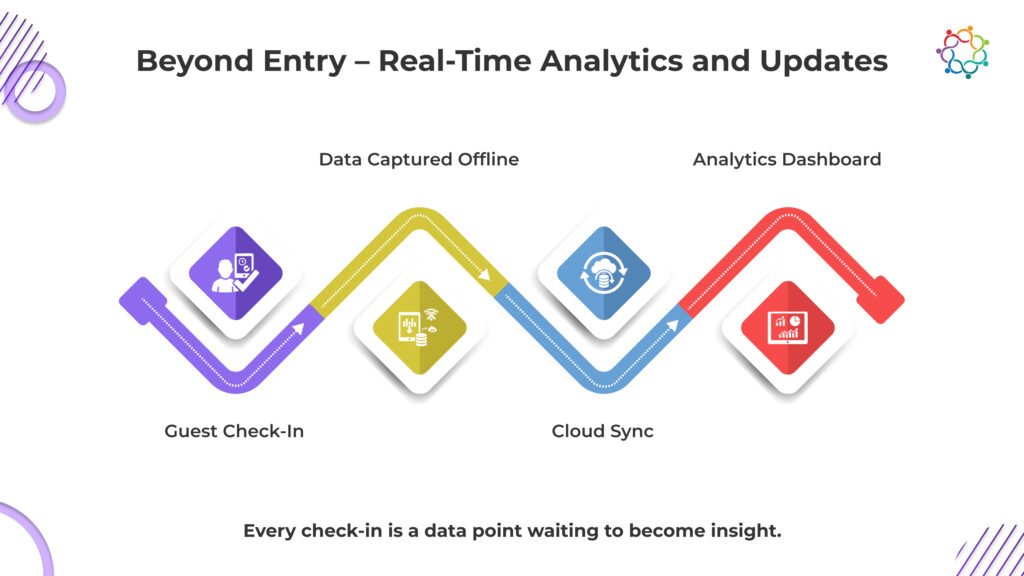
The benefits of offline event check-in solutions encompass more than just the point of entry; it will change your guest management quality level and post-event reports.
Data Capture Without Interruption
During the event, offline data will also contribute to the reporting and analytics, once you regain connection. This ensures an accurate and comprehensive attendance record, session attendance, and entrance time, regardless of unreliable connectivity at the venue.
Insights Worth Having
You will gain dashboards once the sync occurs, right after the data is synced. Check-in speed, attendance numbers, and segments are far easier to visualize just after the event for both reporting and ROI analysis.
For example, a great guest management tool will save staff’s time and efforts handling even categorizing, a 5,000-person summit reduced their wait by over 60% due to having an unsupported/insecure connection to the external network.
You can learn more about how streamlined check-in enhances the event experience here: https://samaaro.com/blogs/beyond-the-scan-how-samaaros-qr-codes-revolutionize-event-registration/
Samaaro Spotlight – Seamless Check-In, Always On
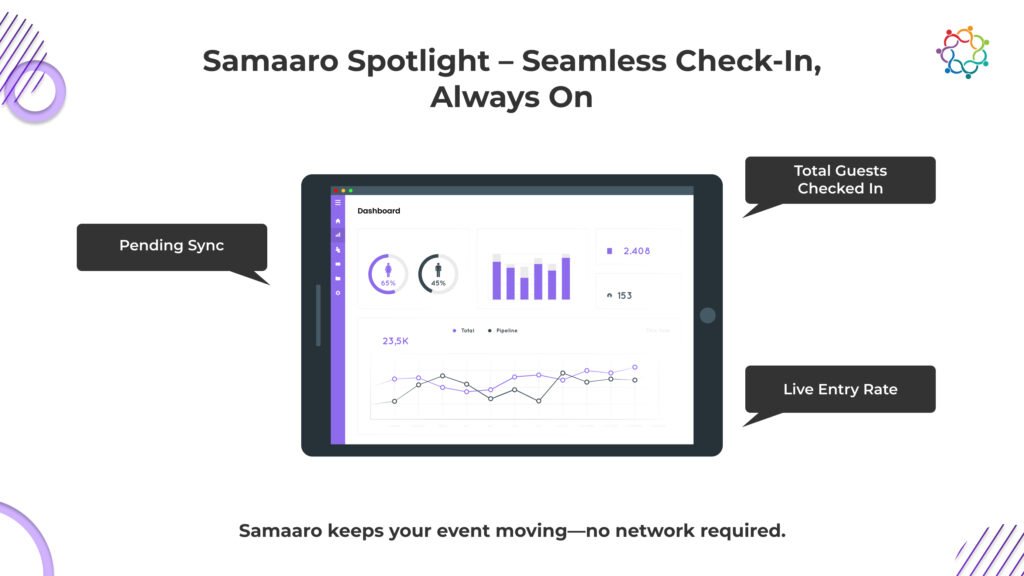
Samaaro understands that an enterprise event check-in application must be completely reliable. Our solution is developed to remove the number one source of onsite stress, a connectivity failure.
- Offline-First Solution: We provide an offline-first check-in solution for enterprise events. Your data will be captured, and guests will be checked in instantaneously regardless of the stability of the internet.
- Cloud Sync and Dashboards: Our system ensures cloud sync will happen automatically, and live analytics dashboards will be updated immediately upon reconnection, so you get post-event data accuracy without any data loss.
- Custom Access Control: Go beyond entry with custom guest tagging and access control features that allow staff to verify VIP status or deny access to a specific track if needed, directly from the local device.
Reliability Defines Modern Event Tech
By 2026, your event’s success will be evaluated based on not only the quality of your content, but also on the seamless delivery of your logistics. The effectiveness of your events will be evaluated based on the seamless experience of your guests. When you use offline event check-in applications, you are making an investment in reliability, efficiency, and a better first impression for each and every participant.
The benefits of offline event registration are readily apparent, speed, accuracy, and peace of mind. Discover Samaaro’s offline event check-in applications for seamless event guest management
Frequently Asked Questions
1. What are the key limitations of traditional Wi-Fi-dependent check-in systems and how do they negatively impact the guest experience at events?
Traditional Wi-Fi-dependent check-in systems break when venue Wi-Fi gets overloaded (which it usually does during peak entry periods), when connectivity drops, or when offline backup isn’t built in. The guest experience suffers because attendees stand in queues while staff troubleshoot connections, the event opens with a logistics complaint instead of a positive first impression, and badge printing stalls. For large events, this is one of the most preventable damages to satisfaction scores.
2. How does the offline-first approach in modern event check-in apps work, and what mechanisms like local data caching allow guest entry to continue without internet connectivity?
The offline-first approach in modern event check-in apps works by storing the full guest list and access rules locally on each device, so check-in continues even when Wi-Fi drops. Local data caching means each staff device has a complete copy of the registration database. When a guest’s QR code is scanned, the app validates against the local cache instantly. The internet is only needed for syncing data back, not for the check-in itself.
3. How do contactless scanning technologies such as QR codes and NFC enable faster and uninterrupted guest check-in during peak entry periods?
QR codes and NFC enable faster check-in by reducing each entry to a single tap or scan. No paper lists, no manual name lookups, no typing into a form. A trained staff member can process 200+ guests per hour per station with QR or NFC. During peak entry (the first 30 minutes when 60 percent of guests typically arrive), this is the difference between a smooth opening and a queue stretching out the door.
4. How does automatic cloud synchronisation in offline check-in apps ensure data accuracy and consistency across multiple check-in devices once connectivity is restored?
Automatic cloud synchronisation handles the data reconciliation once connectivity returns. Every check-in captured offline is timestamped locally, then pushed to the cloud when the device reconnects. Duplicate-detection logic ensures the same guest isn’t counted twice if scanned at two stations. Real-time dashboards stay accurate even if individual devices were briefly offline. Organisers see one consolidated, accurate attendance number, not five conflicting ones.
5. How do offline check-in apps continue to contribute to post-event attendance analytics and ROI reporting even when data was captured without a live internet connection?
Offline check-in apps still contribute to post-event attendance analytics and ROI reporting because every offline scan is timestamped and synced once connectivity returns. The post-event report shows attendance rate, peak entry times, average check-in duration, and per-session attendance, all based on the same data that would have flowed in real time. The CRM gets the right attendee records, attribution holds, and ROI calculations remain accurate.
6. What custom access control features — such as VIP tagging and track-level access verification — can event staff manage directly from a local device during an offline check-in scenario?
Custom access control features that work offline include: VIP tagging that flags special guests at scan for personalised greeting, track-level access verification (one pass for the main conference, another for VIP rooms or workshops), session-specific entry rules, sponsor-area gating, and meal voucher tracking. All these rules sit in the local cache, so staff can enforce them without an internet connection while still keeping the audit log accurate.
7. What are offline-ready event check-in apps and how do they work?
Offline-ready check-in apps let you register guests even when there is no internet. They work with an offline-first design: the full guest list is downloaded onto each device before the event. When a guest’s QR code or name is scanned, the app checks it against that local list instantly. Once Wi-Fi returns, everything syncs back to the cloud automatically.
8. Why is offline functionality important for event check-in management?
Because venue Wi-Fi often fails, especially when hundreds of guests arrive at once. If your check-in depends entirely on the internet, a dropped connection creates long queues and a frustrating first impression. Offline functionality keeps check-in running no matter what, turning a major source of on-site stress into a reliable, smooth experience for both guests and staff.
9. How do offline check-in apps handle guest entry tracking without internet connectivity?
They store the entire guest list locally on each device ahead of time. When staff scan a QR code or look up a name, the app checks it against that local copy and records the entry instantly, all without needing the internet. Every check-in is saved on the device, so the flow never stops even when the network goes down.
10. What happens to attendee data when internet connectivity is restored after offline check-in?
As soon as a device reconnects, even briefly, all the check-ins it recorded offline sync automatically to the cloud. The central guest list and dashboards update, and if you used several devices, all of them reconcile so the counts agree. Each entry was timestamped locally, so no data is lost and your records stay accurate and complete.
11. Can offline-ready check-in apps sync data across multiple devices in real-time?
Yes. When devices have a connection, check-ins sync across all of them so every station shows the same, up-to-date guest list. For a large event using ten check-in points, this means no double entries and no conflicting counts. If a device briefly goes offline, it catches up automatically once it reconnects, keeping all your devices consistent.
12. How do offline check-in apps ensure accurate analytics without internet connectivity?
Every scan is timestamped and saved locally during the event, then synced once connectivity returns. Because nothing is lost, your post-event report still shows accurate attendance, peak entry times, average check-in duration, and per-session attendance. The data feeding your analytics and ROI is the same as it would have been if everything had been online the whole time.
13. What are the key features of an effective offline event check-in solution?
An effective offline check-in solution needs reliable local data caching, so the guest list lives on each device. It needs contactless scanning with QR codes or NFC for fast entry, automatic cloud sync once the connection returns, and consistency across multiple devices. Custom access control, like VIP tagging and track-level entry rules, rounds it out, all working without the internet.
14. How do offline-ready apps prevent missing guest entries during internet outages?
Because each device holds a full copy of the guest list and records entries locally, no check-in is ever lost during an internet outage. Staff keep scanning and the data saves on the device, then syncs when the connection comes back. This offline-first design means a Wi-Fi drop slows nothing, so every guest is captured accurately rather than missed.
15. What types of events benefit most from using offline-ready check-in apps?
Events with shaky or heavy connectivity demands benefit most. Think large summits and conferences where thousands arrive at once and overwhelm venue Wi-Fi, hotel ballrooms with weak signal, remote convention centers, and outdoor festivals in open fields. Any event where a connection drop would create long entry queues is a strong fit for offline-ready check-in.
16. How reliable are offline check-in apps compared to internet-dependent solutions?
Offline check-in apps are more reliable than internet-dependent ones because they do not break when the network does. An online-only system stalls the moment Wi-Fi drops or gets overloaded, while an offline-first app keeps working from the local guest list and simply syncs later. For high-stakes events, that reliability means speed, accuracy, and peace of mind at the door.