Lexend

Book a Demo
Hero — logo marquee resized
Lead Assignment Hub & Queue Manager

Every guest, assigned to a rep on arrival.

Samaaro captures every lead, routes it to a rep, and syncs the outcome to CRM, instantly.

30 minutes. See how a single scan turns into tracked, CRM-ready pipeline.

Lead Assignment Hub & Queue Manager Interface
The Full Lead Journey — scroll reveal check
The full lead journey

Capture it. Route it. Prove the ROI.

One flow, not two disconnected tools, from capture to CRM.

PRE-EVENT SETUP

Set the rules before the floor gets busy

Define which events matter and who owns them, before a single rep steps into the booth.

  • Centralized governance for every event, with clear ownership
  • ICP and qualification rules set in advance, not improvised on the floor
  • Access and permissions configured before doors open
Pre-event Setup Interface
CAPTURE

Built for booth chaos, not a quiet desk

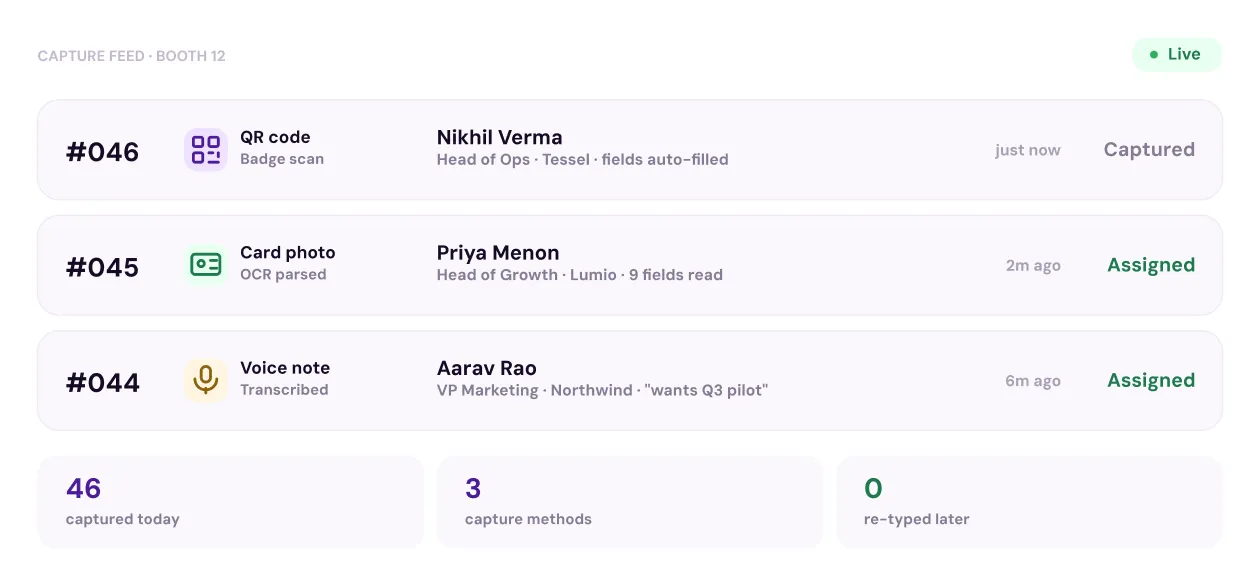
Scan a badge, snap a card, tap a note. Structure happens later, not in the moment.

  • QR scan, card photo, or voice note, capture first, structure later
  • AI extracts key fields from cards automatically, no manual typing
  • Works offline, syncs the moment you're back online
Capture Interface
ASSIGNMENT

The right rep, before the guest sits down

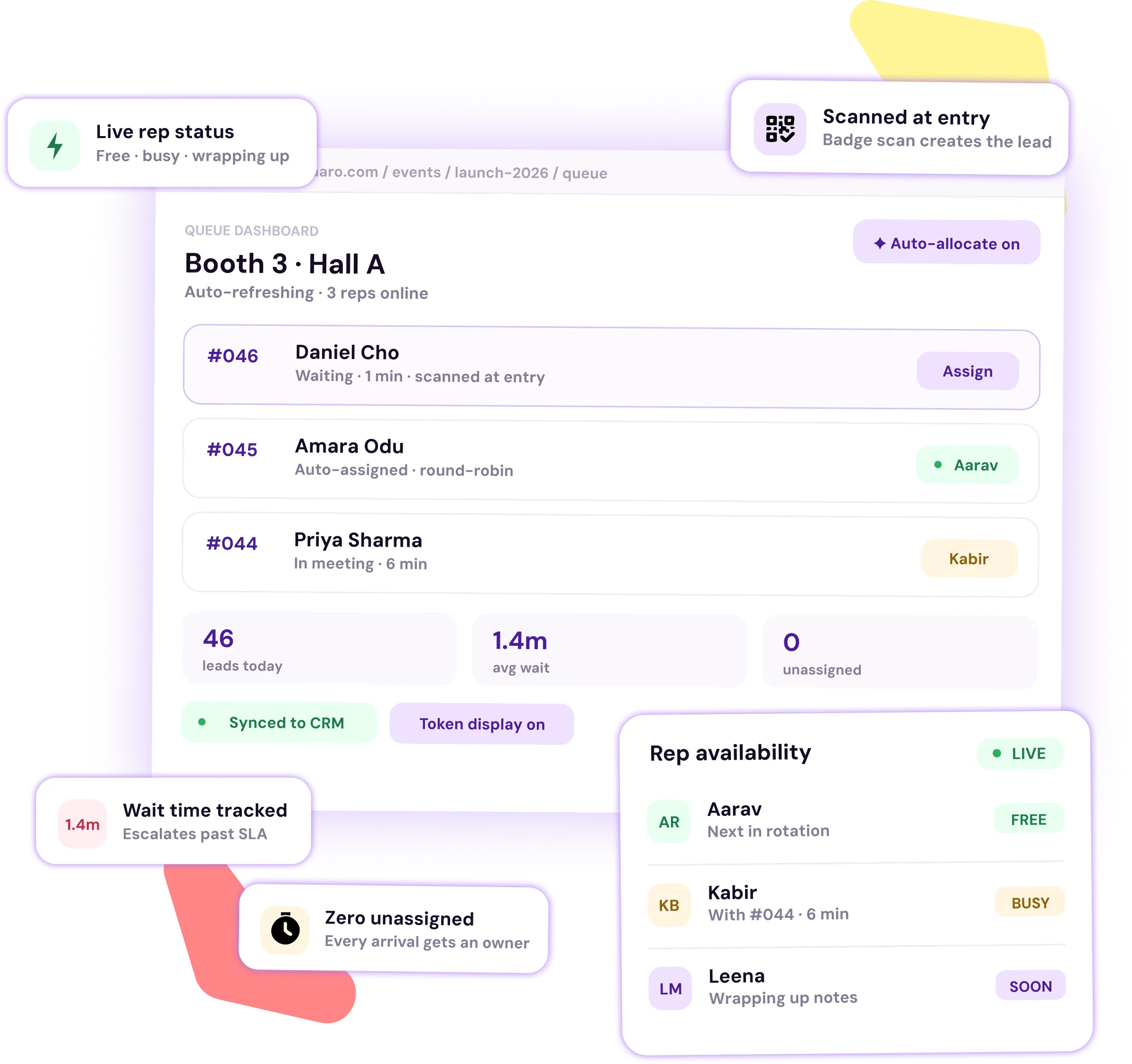
Assign guests yourself, or let the system route them to whichever rep is free right now.

  • Manual or automatic assignment, switch anytime
  • Auto-allocation weighs live rep availability and current load
  • One queue dashboard for every counter, not one per booth
Assignment Interface
LIVE VISIBILITY

Know who's free, and what the floor sees

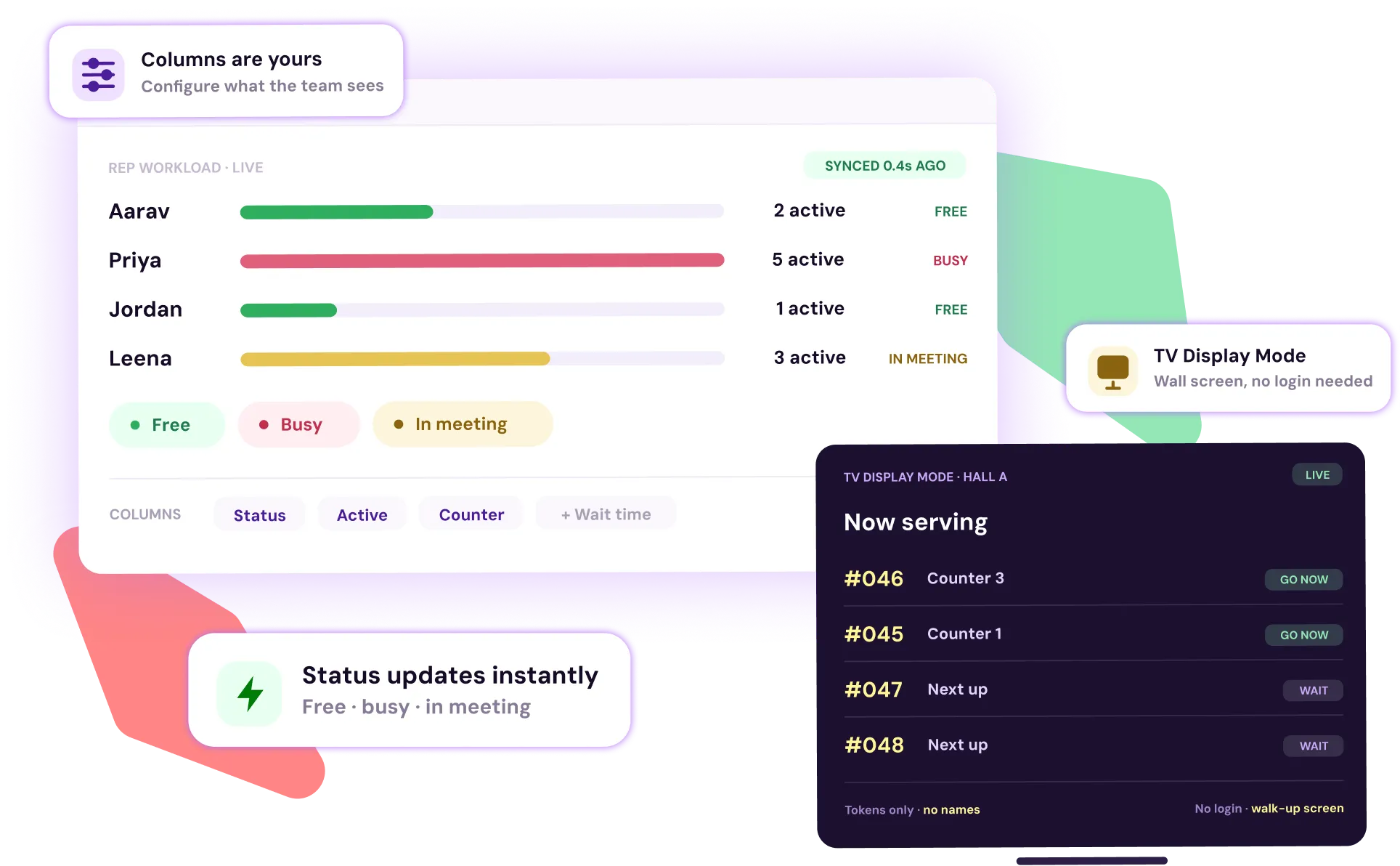
Rep status updates instantly. The queue on the wall updates with it.

  • Real-time status for every rep, free, busy, or in a meeting
  • Token-based display and TV Display Mode, no names, no login
  • Columns are yours to configure
Live Visibility Interface
MEETING & CRM

Every visit, tracked, then synced

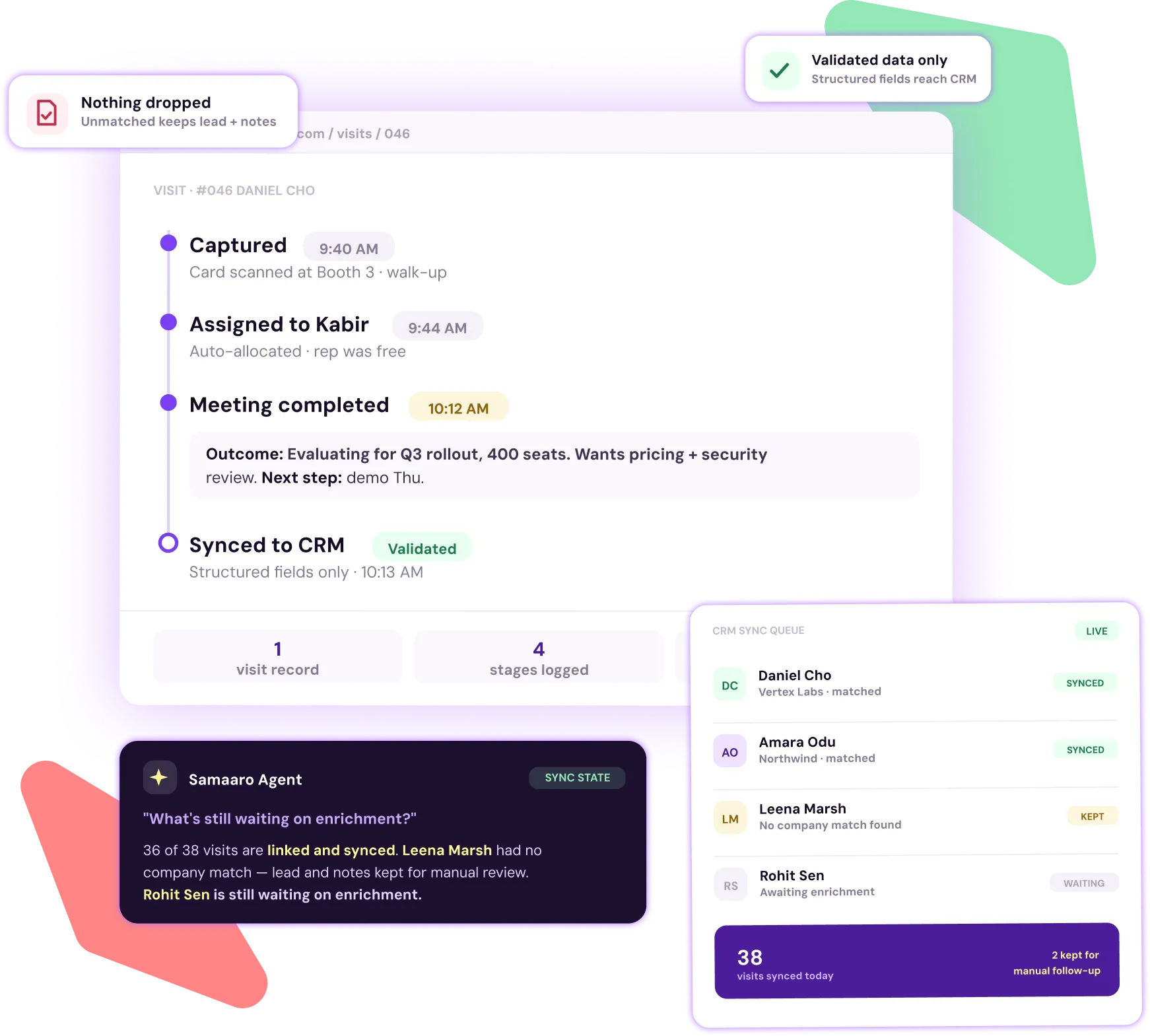
Notes and outcomes update automatically. Nothing gets dropped, even when enrichment can't find a match.

  • Full guest journey from queue to completed meeting, with notes and outcomes
  • Only validated, structured data pushes to CRM
  • Unmatched companies still keep the lead and notes for manual follow-up
  • The Agent can explain sync state on request, what's linked, what's synced, and what's still waiting on enrichment
Meeting and CRM Interface
REPORTING & ROI

From captured lead to revenue, per event

Track lead to opportunity to revenue, then compare performance across every event you run.

  • Lead lifecycle from capture through meeting to opportunity to revenue
  • Qualified lead and meeting conversion, not just raw volume
  • Cross-event benchmarking by city, industry, or event type
  • The Agent can pull a cross-event ROI overview for any date range and flag where spend is outperforming
Reporting and ROI Interface
The difference

One capture. Four moves.

The moment a lead exists, the manual work is already done.

• Captured

The lead exists the moment it's scanned

QR code, card photo, or a quick voice note. Structured data, no re-typing later.
Captured – The lead exists the moment it's scanned
• Routed

The right rep, right away

Auto-allocated by live availability and load, or assigned manually in a click.
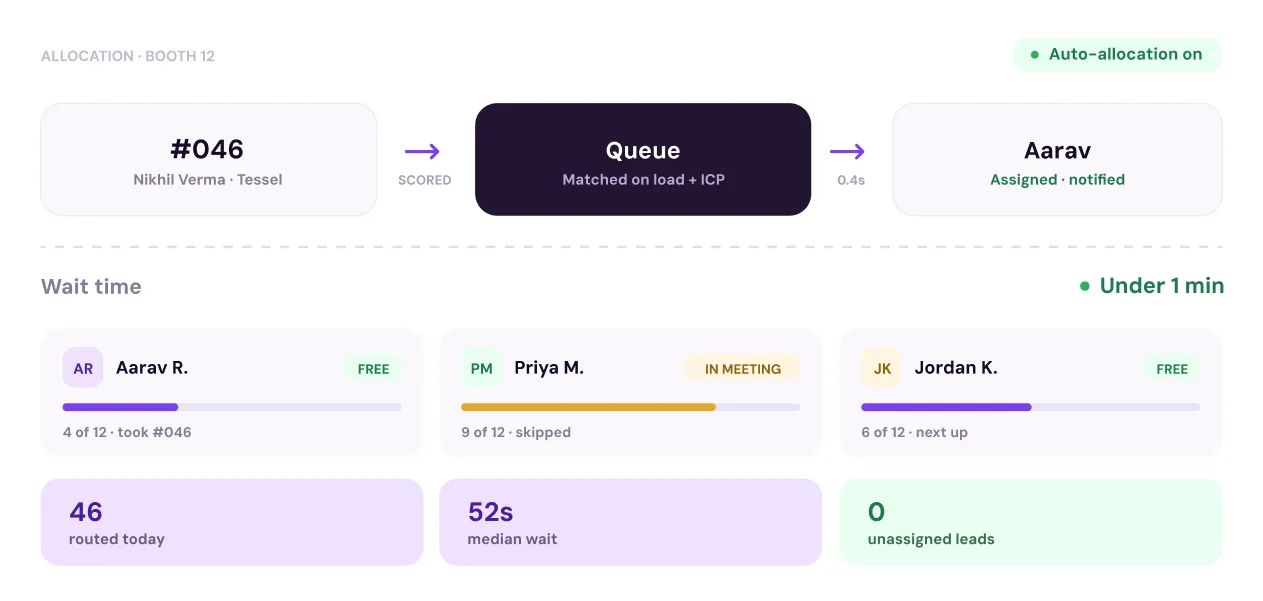
Routed – The right rep, right away
• Tracked

Status updates everywhere at once

The rep's view, the dashboard, and the screen on the wall all move together.

Tracked – Status updates everywhere at once
• Synced

The outcome reaches CRM before the booth empties

Notes and next steps land where sales already works, with nothing re-typed.
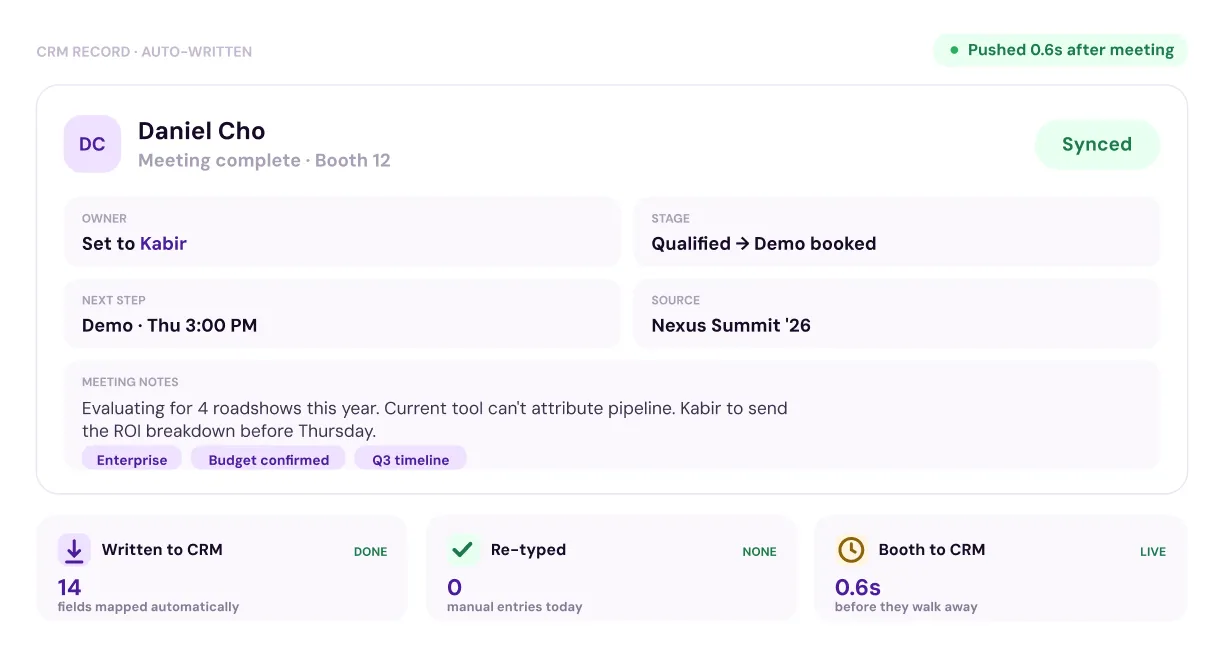
Synced – The outcome reaches CRM before the booth empties
Scroll to see what happens next ⌄
The Difference — scroll reveal check
The Platform Effect

One lead, six systems.

The moment a lead is routed, six systems activate at once.

95%
faster lead assignment, the moment a guest checks in
3x
faster rep follow-up once a lead is routed
0
spreadsheets between the queue and your CRM
1
Audience
2
Registration
3
Engagement
4
Lead Capture
5
CRM Sync
6
Pipeline Reporting
Live at the Booth — scroll reveal added
Live queue
128
Served today
#042Counter 2
WAITING
IN MEETING
#041Counter 1
IN MEETING
DONE
#043 
WAITING
DONE
Aarav
Priya
Kabir
Live at the booth

The queue, visible to everyone

Guests see a token, not a name. Reps see the same board, live. A screen on the wall shows both, updated after every single interaction.

  • Privacy by default, tokens only
  • Every column is yours to configure
95%
faster lead assignment
100%
real-time visibility across sales reps
40%
higher conversion rates
Zero
queue bottlenecks
Testimonial + Security — original classes, separated reveal
Quote mark
Samaaro's team shows up for us. The support has been steady and proactive in a way we had not found anywhere else, and it shows in how smoothly our events run.

Sanaa Bouchaib Sanaa Bouchaib, Customer Experience Manager, Modon Properties
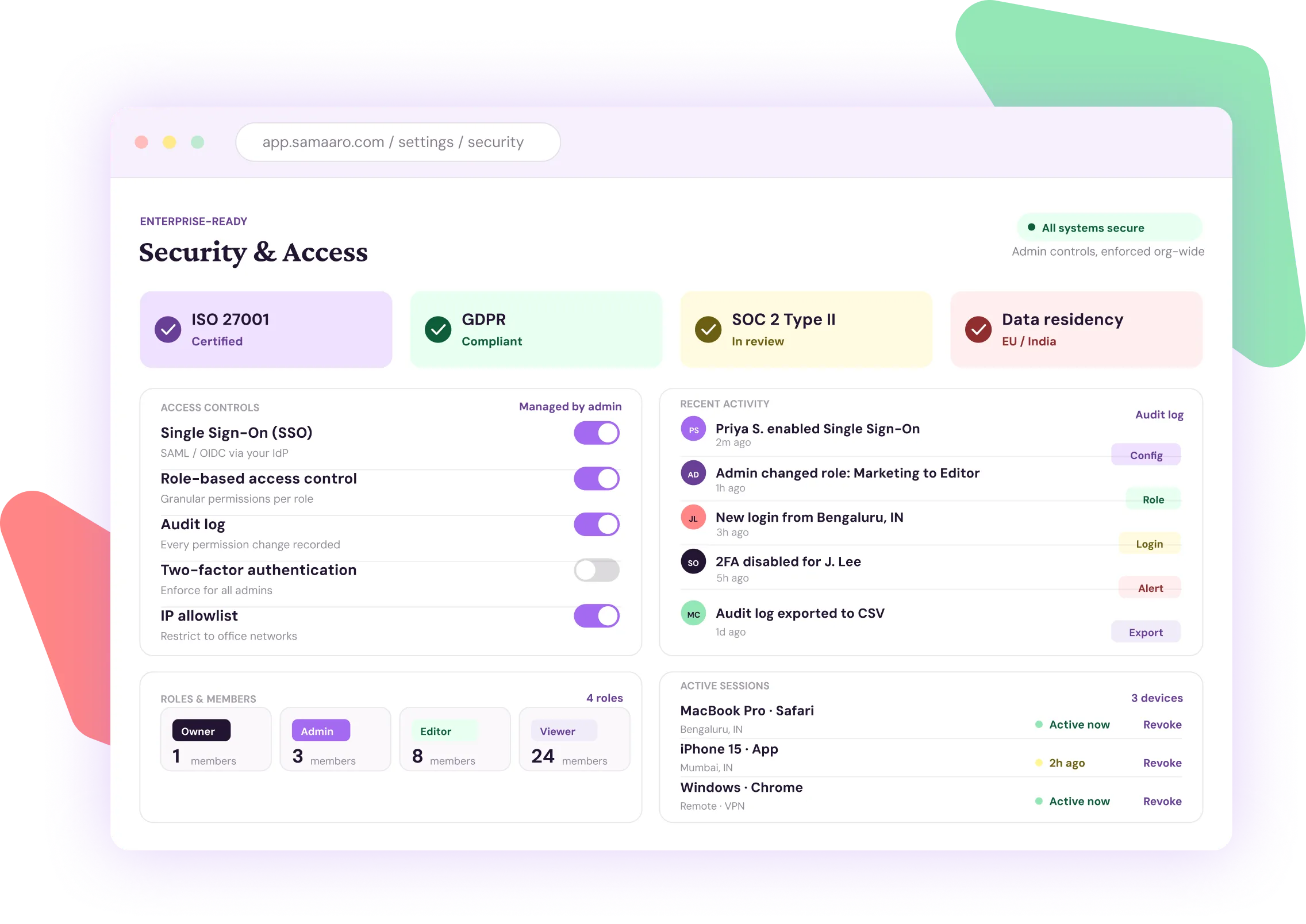
Enterprise-ready

Security your admin actually controls

  • ISO 27001 certified, GDPR compliant
  • SSO and role-based access, set by your admin
  • Full audit log of every permission change
  • Opt-in and opt-out preferences enforced automatically, on every send
Security and access settings product screenshot
FAQ — scroll reveal restored
FAQ

Answers, before you ask

How is this different from mapping specific reps to VIP accounts ahead of time?

That is a separate, pre-planned workflow for scheduled relationship meetings. This is real-time capture and routing for walk-up volume, built for a booth or counter, not a calendar.

How does the system decide who gets assigned to whom?

Either you assign manually, or the system auto-distributes based on which reps are free right now and how full their queue already is.

Can I watch meetings happen as they're happening?

Yes. The dashboard shows ongoing meetings, waiting guests, and free reps, updated in real time.

Do reps need WiFi to capture a lead at the booth?

No. Capture works offline and syncs automatically the moment you are back online.

What if a business card cannot be scanned cleanly?

Capture with a QR code or a quick voice note instead, and structure the data afterward.

Does capture only work at the booth?

No. Hallway conversations, side meetings, and dinners all count, capture is not limited to a fixed station.

Can attendees see the queue without seeing rep names?

Yes. Token-based display shows counter and ticket numbers only, keeping rep identities private.

Can we put the queue on a screen for guests to see?

Yes. TV Display Mode broadcasts live queue and rep status to any screen, no login required.

Can we change what shows in each queue column?

Yes. Add or remove columns like ticket type, rep, or meeting status to match how your team works.

Does this sync with the CRM we already use?

Yes. Lead and meeting data pushes straight into Salesforce, HubSpot, Dynamics, or Zoho, no manual export.

What happens if a lead's company can't be matched or enriched?

The lead and any notes stay saved for manual follow-up. Nothing is dropped just because enrichment fails.

Can I see who captured or touched a lead, and when?

Yes. Every capture, assignment, and CRM sync is recorded in a full audit trail.

Is it enterprise-ready?

Yes. Samaaro is ISO 27001 certified and GDPR compliant, with SSO, role-based access, and audit controls for multi-team and multi-region programs.

Two-path CTA — scroll reveal restored
For marketing teams

See it live

A 30-minute walkthrough of your own registration flow, no slide deck.

Book a Demo
For procurement

Get the details

Pricing, security documentation, and contract terms.

Talk to Sales